Upload & address
Add the recipient’s email, phone number and your files.
Send it. Secure it. Know it’s received.
Share important files through a secure link, verify the recipient with a PIN, and get notified when your file is successfully downloaded and automatically deleted.
Simple · Secure · Done
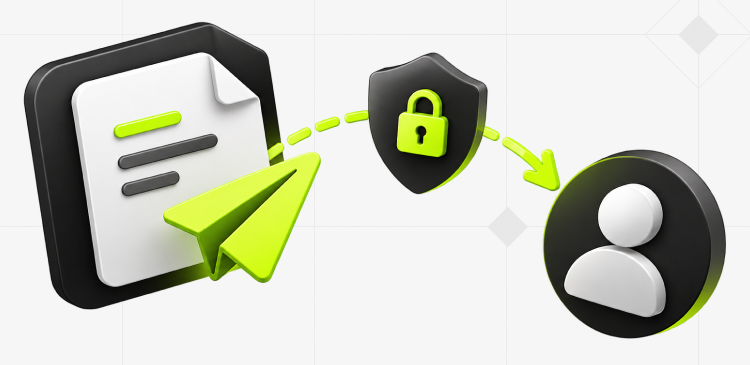
Secure file delivery in four simple steps.
Add the recipient’s email, phone number and your files.
A private access link lands in their inbox.
A 6-digit code goes to their phone. two keys, two channels.
Only the right person, with both keys, gets the file.
Once receipt is confirmed, the file is wiped for good.
Get a receipt when it’s downloaded and when it’s deleted.
Security That Stays Calm
Secure links and SMS verification work together without asking your recipient to create an account.
A one-time PIN confirms access.
Strong encryption covers the full delivery.
Undownloaded files expire after seven days.
Security That Stays Calm
Securely share sensitive files with verified recipients. Once your file is successfully downloaded, it’s automatically deleted.
Send a FileWhy Us
Send in a few clear steps. Recipients tap, verify, and download.
See opens, verification, download, deletion, or expiry.
The secure handoff stays quick and respectful.
FAQs
Everything you need to know about sending and receiving files securely.
DocYouSend helps you send important files securely, verify the recipient, and follow the delivery through to download and deletion.
Upload your file, enter the recipient’s email and phone number, and hit Send. The recipient receives a secure access link and a verification code by SMS. Once verified, they can download the file.
No. They open the link in their email and enter the SMS verification code to access your file.
The unlock code is sent separately by SMS, so the recipient needs both the email link and access to their phone.
After a confirmed download, the stored file is automatically deleted and you receive a notification.
Choose an expiration of 1, 3, 7, or 14 days when sending. Seven days is selected by default. Files are deleted sooner after a confirmed download.